Your own ordering app, and your customers stay yours

An app on Android and iPhone with your logo and your colour, and a panel that opens in any browser. The order reaches you directly, and the customer follows it step by step until it is in their hands.

Every picture on this page comes from the app itself and the panel itself. Nothing here is drawn or mocked up.
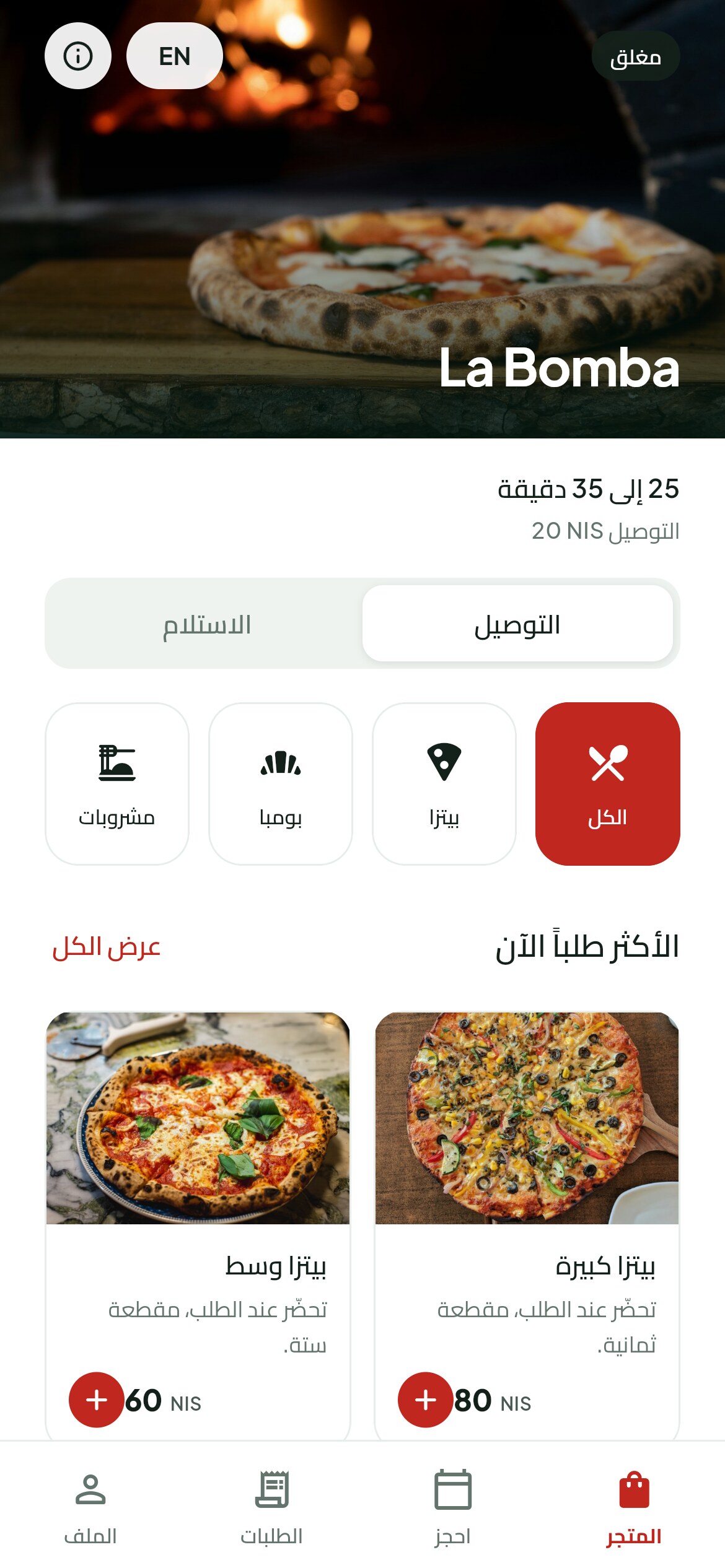
A phone showing the home screen of a restaurant app, with the cover photo, whether the place is open, the categories and the most ordered dishes.
The app carrying the restaurant's own name, logo and cover photo.
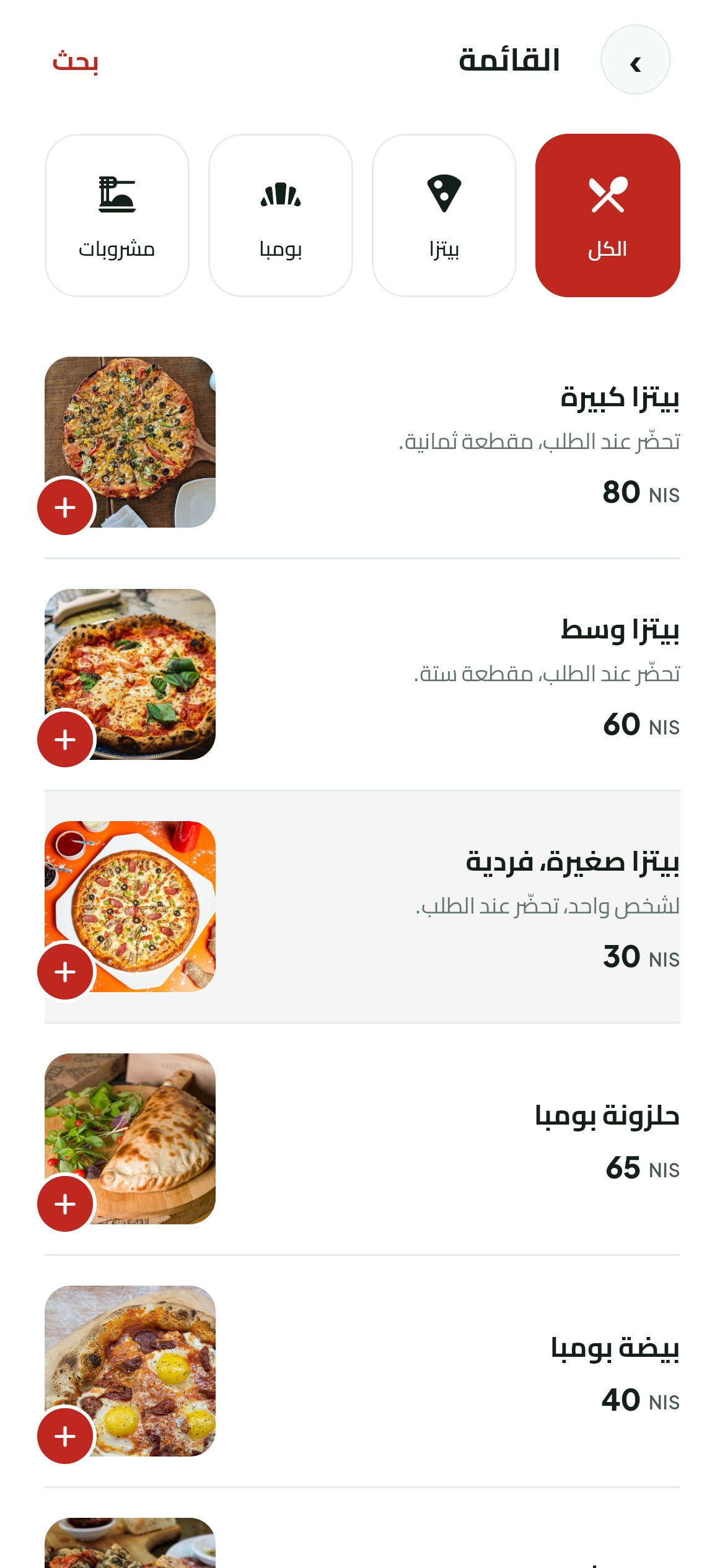
The menu screen in the same app, split into categories.

The app

Your app, in your name, not anybody else's

It carries your restaurant's name, its logo and its colour. A customer downloads it from Google Play or the App Store and finds your restaurant, on its own, inside it.

And before it reaches the two stores you have a link that opens the app in a browser. You send it on WhatsApp and put it on your pages, and customers order from it on day one.

There is no single app where restaurants sit crowded together. Every restaurant gets its own app and its own listing.

The customer

From opening the app to rating the order

Swipe to see the rest of the screens

  1. A phone showing the home screen with the cover photo, the categories and the most ordered dishes.

    01Opens the app

    Your cover, whether you are open right now, the categories, and what people order most.

  2. A phone showing the menu split into categories, with a sold out dish greyed out.

    02Picks from the menu

    Your items, in the order you put them in. A sold out one stays on screen in grey instead of disappearing.

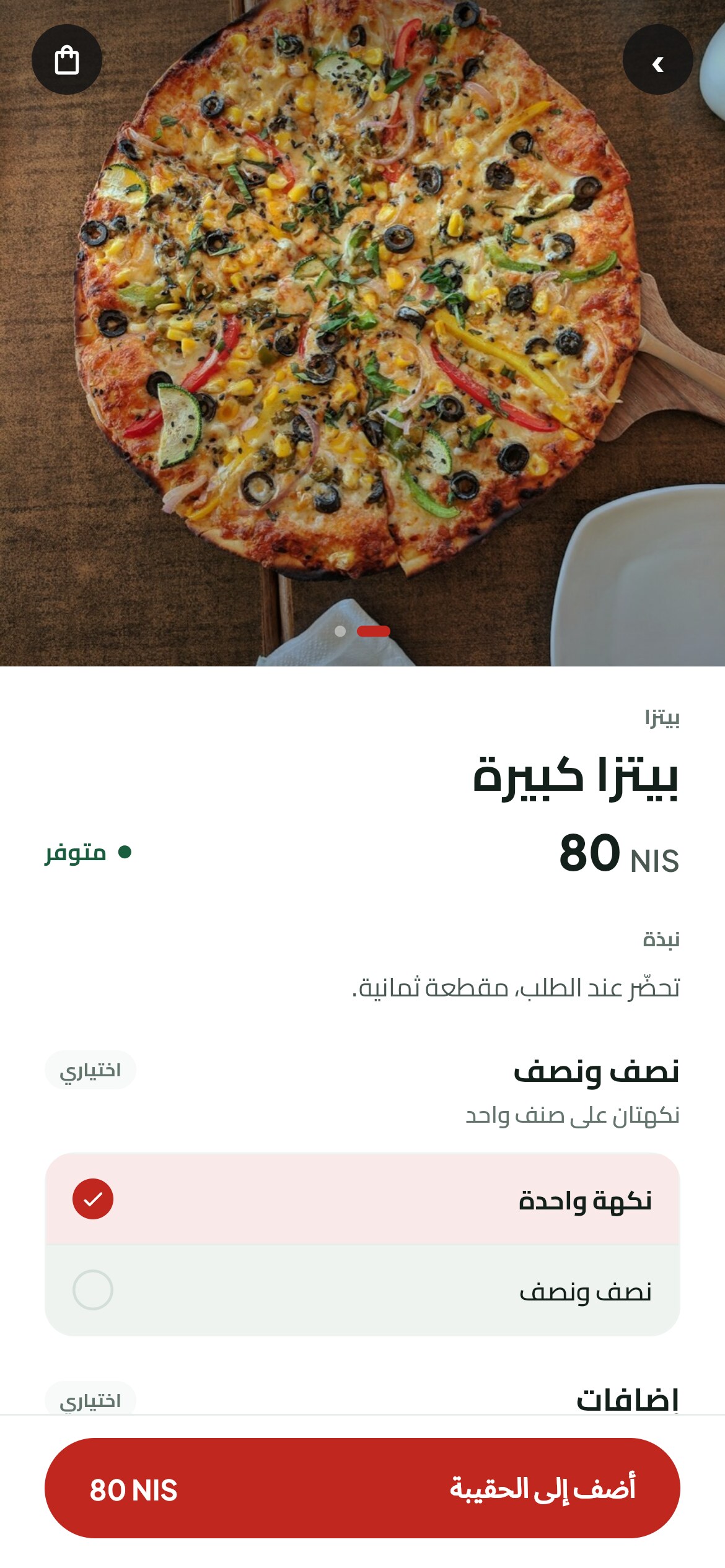
  3. A phone showing an item with a size choice and a list of extras, each with its own photo and price.

    03Sets the item up

    One size, extras with their photos and prices, no onion, and a note for the kitchen on the item itself.

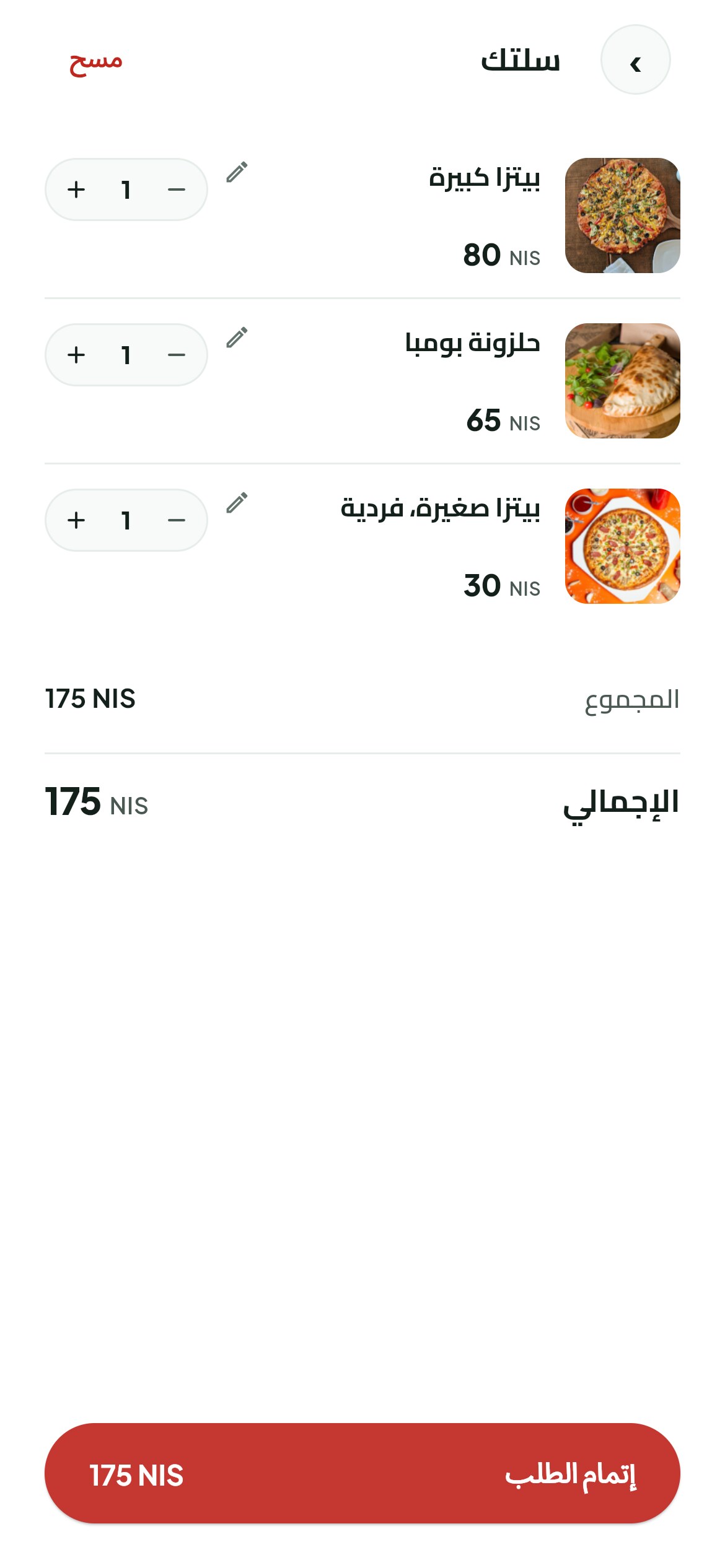
  4. A phone showing the bag with quantities, line totals and the promo code box.

    04Checks the bag

    Quantities, what each line comes to, and the promo code. Every total is worked out in the system, not on the customer's phone.

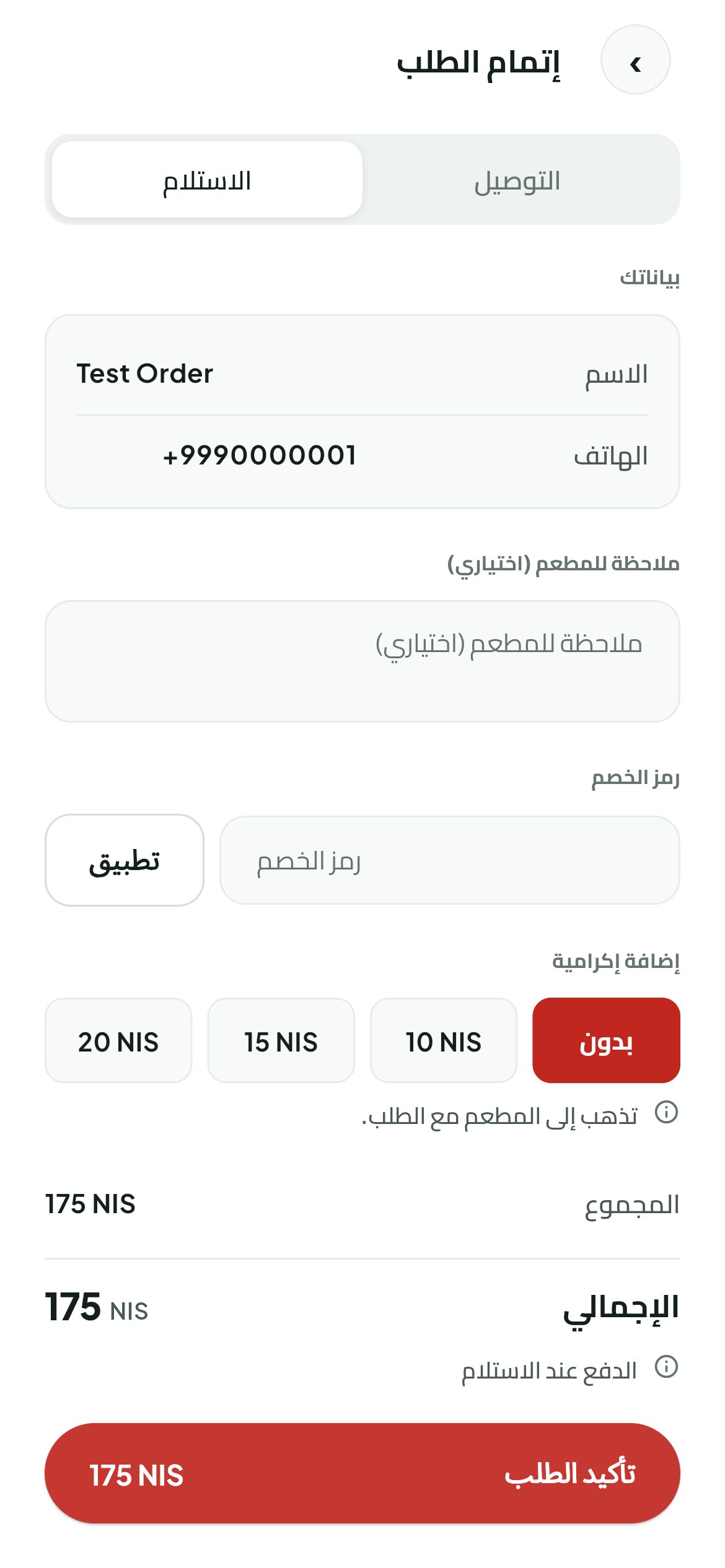
  5. A phone showing checkout with pickup or delivery, the delivery fee and the payment choice.

    05Finishes the order

    A phone number and a code by message. Then pickup or delivery, the fee for that area, then cash, or card once you switch it on.

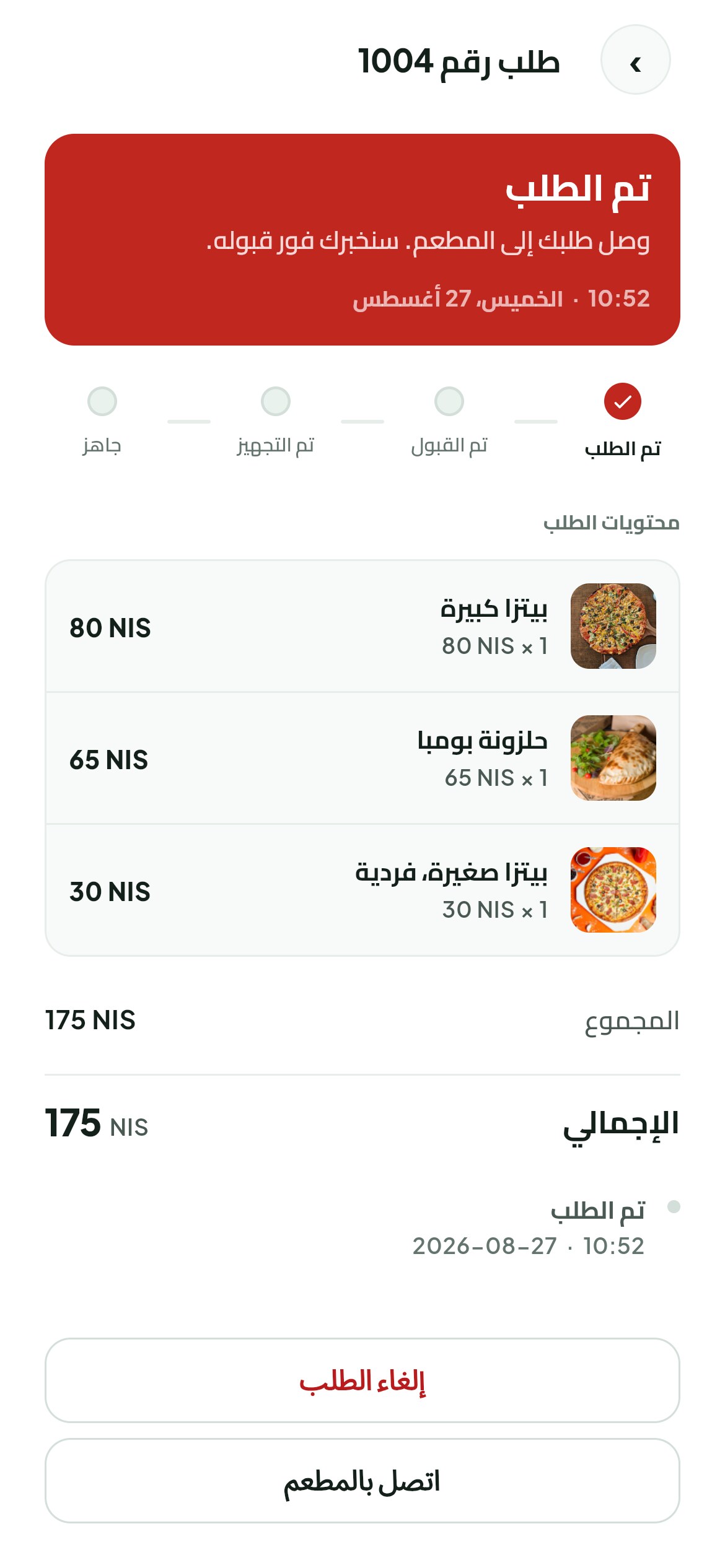
  6. A phone showing the order moving from accepted to being made to ready to on its way.

    06Follows and rates it

    Accepted, being made, ready, on its way. A notification lands at every step, then stars once it arrives.

New order

The alarm keeps ringing until you take the order

A kitchen does not hear one chime in the middle of a rush. So this one does not chime once and stop. It keeps going until somebody accepts the order.

The browser tab flashes and the computer raises its own notification, so it still reaches you when the panel is behind another window. And it stops the second the order is accepted, from any of your devices.

If you want it silent you switch it off, and the panel remembers.

  1. New
  2. Accepted
  3. Being made
  4. Ready
  5. Handed over
  6. Finished
  • Open orders, oldest first, because the oldest one is the customer who has waited longest
  • The customer sees every step the moment you press it
  • Refund in full or in part from the same screen
  • A walk-in paid at the counter is rung up here and lands in the same day's takings
  • Table bookings arrive here too, and you are the one who confirms them
Restaurant panel · Live orders
The owner panel in a browser showing the open orders with the accept and ready buttons and a new order alert.
Restaurant panel · Menu
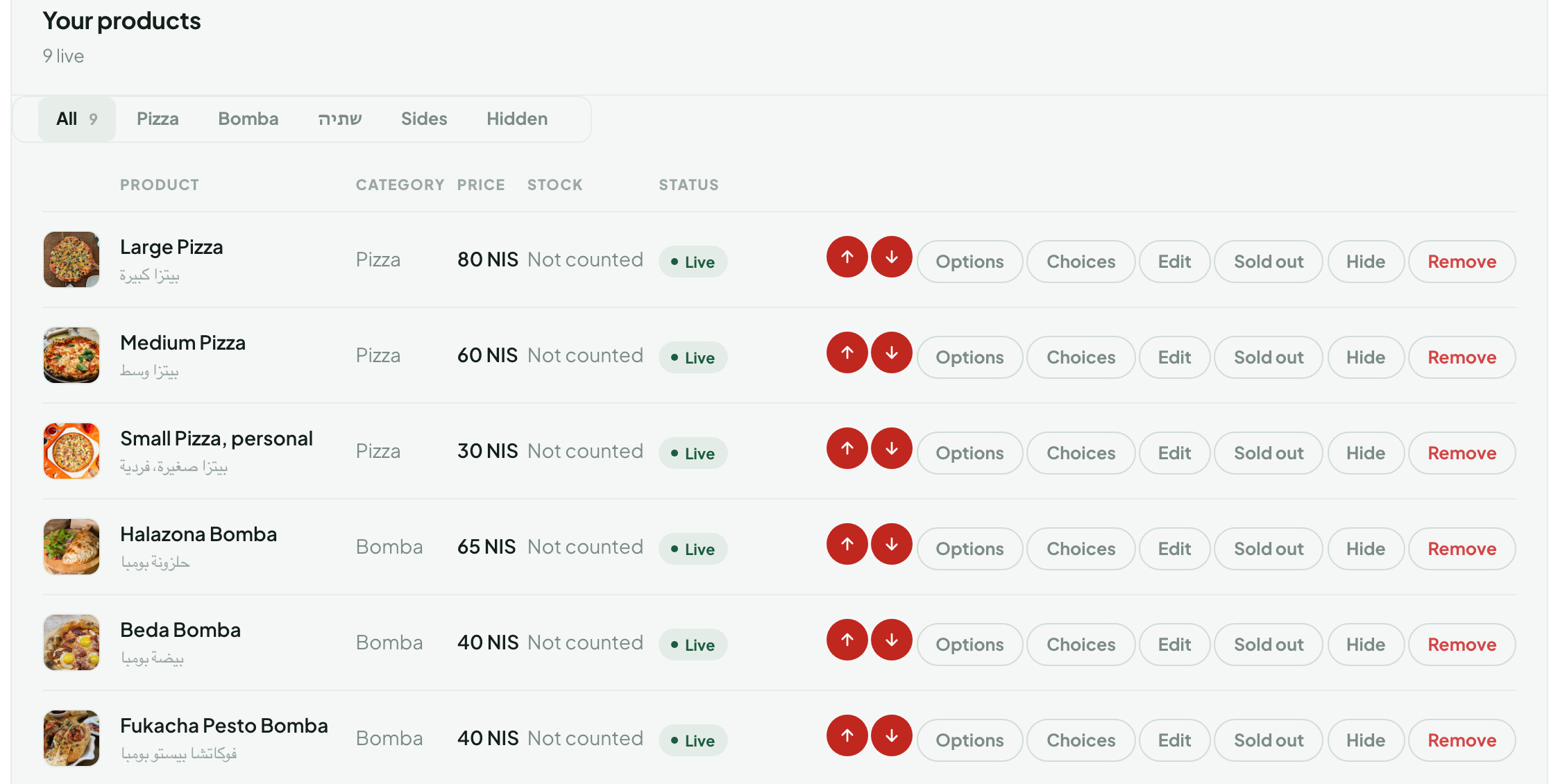
The owner panel in a browser, editing a menu item with its price, photo, sizes and extras.

The panel opens on a laptop, a tablet or the till computer. There is nothing to install.

Payment

Your restaurant's money reaches your restaurant's account

Cash works from day one.

Card payment is built and ready in the system, and you are the one who switches it on. You connect your restaurant's own payment account from your panel, then open it to your customers whenever you want. Once it is on, the card money goes from the customer to your restaurant's account and then to your bank, and it does not pass through anybody in the middle.

A refund comes out of your own balance, which is why the refund button is in your hands.

Language

The app opens in Arabic, and the whole screen turns with it.

The menus, the buttons, the arrows and the reading direction. It is not an English screen with Arabic words dropped into it. Numbers and prices stay left to right, which is how a number is read.

One button moves the app to English and back, and the choice is remembered.

Tables

A table gets booked, and a customer orders sitting at it

The customer picks a day, a time and how many people. The times they are offered come from your real hours and from how many seats are still free at that hour.

A booking reaches you as a request waiting for your confirmation, so nobody takes a table on their own. You confirm it, then mark them seated or no-show.

Every table has a code you print and stick down. A customer scans it and the order arrives marked for that table, and if a sticker goes missing the old code dies straight away and you print a new one.

A table code, printed from your panel

Yours alone

Your numbers and your customer list belong to your restaurant

Everyone who has ordered or booked with you sits in one list, with how many times they have.

And the sales report gives you what the restaurant took over any stretch of days you choose, with cancelled orders left out, and you download it and keep it.

What belongs to your restaurant alone, and what every restaurant on the platform shares.
Yours aloneShared
The menu, the prices, the photosThe app's own screens
Orders and bookingsThe panel's own screens
Customers and their numbersSign in by phone number
Reviews and reports
Hours and delivery areas
The payment account and the bank
The panel and the login to it

No other restaurant on the platform sees your orders, your customers or your menu.

Getting started

How you start

  1. You talk to us

    A message on WhatsApp, and we work out what your restaurant needs.

  2. We open your restaurant on the platform

    Your panel is ready, with your name, your logo and your colour, and a preview that shows the app changing as you type.

  3. You put the menu in

    This part is yours. The items, the prices, the photos, the sizes and the extras go in from your panel, because you know your menu, and we stay with you until it is done.

  4. Your app goes live

    You start with the browser link and take orders that same day, then your restaurant gets its own app on Google Play and the App Store.

Questions

Questions that keep coming up

Does my restaurant get its own app on the stores?

Yes. An app with your restaurant's name and logo, and its own listing on Google Play and the App Store. Before it lands there, the browser link works and takes orders.

Can the customer pay by card?

Card payment is built and ready, and you switch it on once you have connected your restaurant's own payment account from your panel. Cash works from day one.

Who owns the customer data?

Your restaurant. Their numbers and their orders are in your panel, and no other restaurant on the platform sees them.

What if I change my prices?

You change them in your panel and that is the price in the app on the next screen a customer opens. No update to wait for and nobody to ask.

Do I need somebody technical?

No. The panel opens in a browser on a laptop, a tablet or the till computer. Whoever watches the orders in your restaurant today can run it.

What if the device is off when an order arrives?

The order stays open in the panel and nothing is lost. When the panel is opened on any device the alarm starts and keeps ringing until one of you accepts it.

Start with an app that carries your restaurant's name

Send us your restaurant's name and the food you do, and we will come back with the next step.

Message us on WhatsApp

+972 54 811 9117